Free up time from the task you repeat.

I automate one task in the systems your accounting firm already uses.

Map one task in 20 min

Free, with no obligation.

Bob checking accounting documents at a desk with an inbox, exceptions and completed documents

Examples of what can be automated.

Recurring tasks with clear rules and a person who handles exceptions.

Small steps tie up capacity, week after week.

None of the steps are difficult. There are just many of them. Errors only surface as the deadline approaches, and the routine often lives in one person's head.

This is how it is in most firms. Not carelessness, just growth without more people.

The manual loop, repeated all yearToday, an employee performs every step by hand. Open, find, copy, check and update. The loop repeats for every accounting document, and time spent grows week by week across 46 working weeks.REPEATED FOR EVERY DOCUMENT · EVERY CLIENT · EVERY WEEKOPENFINDCOPYCHECKUPDATETOTAL OVER THE YEARHOURS, ACCUMULATEDWEEK 1WEEK 4WEEK 12WEEK 24WEEK 46
Kevin Bjorvand, developer and founder of Bjorvand AI
Kevin Bjorvand

I built BilagPilot.

BilagPilot finds entries without supporting documents and brings follow-up together. I bring that experience to the task I build for you.

See BilagPilot
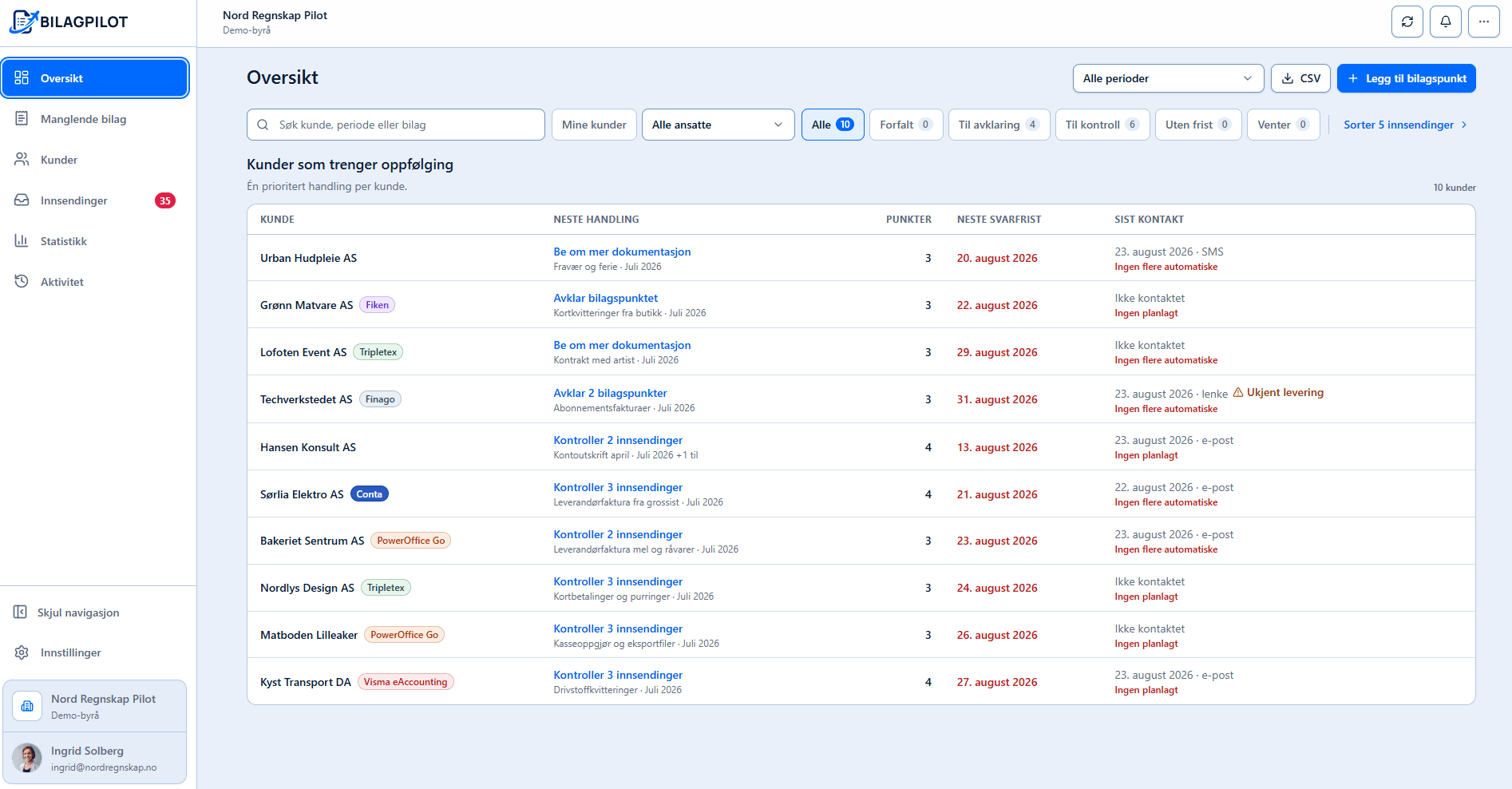

Demo view of the BilagPilot dashboard with clients needing follow-up
Demo view of BilagPilot
8,000+entries without supporting documents found

From ongoing operations, September 2026.

Map one task in 20 min

Systems and tools I have worked with

  • Tripletex
  • PowerOffice Go
  • DNB Regnskap
  • Fiken
  • Conta
  • Uni Micro
  • Visma eAccounting
  • Finago
  • SpareBank 1 Regnskap
  • 24SevenOffice
  • BilagPilot
  • ChatGPT
  • Claude
  • Microsoft Copilot

Should this task be automated?

Map one task in 20 min

  1. Choose the task
  2. Calculate capacity
  3. Assess the workflow

Which task do you do again and again?

For example: retrieve attachments and update status.

From one selected task to a tested workflow.

  1. Map a task

    The task is reviewed step by step. Time spent is measured.
  2. Build

    Agreed steps and checkpoints in your systems.
  3. Test

    We test the workflow and resolve exceptions before it goes into use.
  4. Deliver

    Measured time, documentation and figures you can share internally. Or advice to stop.

How collaboration is priced.

  1. 1

    Free discovery call

    20 minutes about one concrete task.

  2. 2

    A clearly scoped quote

    What will be built, the fixed price and what is excluded. Scope and systems determine the price.

  3. 3

    Build at a fixed price

    50% at the start and 50% on delivery. If I recommend stopping, the final half is not invoiced.

  4. 4

    Optional operations

    Hosting, monitoring, support and improvements are agreed and priced separately.

A twelve-month agreement with three months' notice on either side. You keep the solution and documentation.

A good fit

  • The task repeats every week
  • The rules can be written down
  • An employee can approve

Not right now

  • The task cannot be explained
  • Everything must be automated at once
  • All review must be removed

Frequently asked questions

01What data can the system see?

Only what the task needs. Access is limited and logged. A data processing agreement is set up for each engagement.

02What if something fails in operation?

Exceptions stop in a manual queue. Sending and posting wait for a person, and errors are logged and corrected.

03What if you become unavailable?

Nothing is locked to me. Code, documentation, access and operations are set up so another developer can take over.

04Can we cancel?

A twelve-month agreement with three months' notice on either side. You keep the solution and documentation.

Bring the task you repeat.

I take on at most two projects at a time. One place is available now.

Map one task in 20 minNo obligation. An honest no if the task is not suitable.Prefer email? Describe the task in two lines.

Choose a time with Kevin.

20 minutes on Google Meet. Free, with no obligation.

You can reschedule from the confirmation. If the times do not suit you, send two lines by email.

Calendar not showing? Open the booking directly.